The record, the rules, and the history.
Everything on this page is built and running today, and every module is in every tier. What isn't built yet is on the roadmap.
Org structure & positions
A position is establishment. It has a number, it is versioned, and it is never quietly moved.
- Hierarchy up to nine levels, maintained as data, with one level marked as the legal entity
- Numbered, versioned positions - every change supersedes, nothing overwrites
- Point-in-time reads with two lenses: corrected truth, or what was recorded at the time
- Reporting relationships (direct manager, HR, divisional, custom) with one primary reporting line
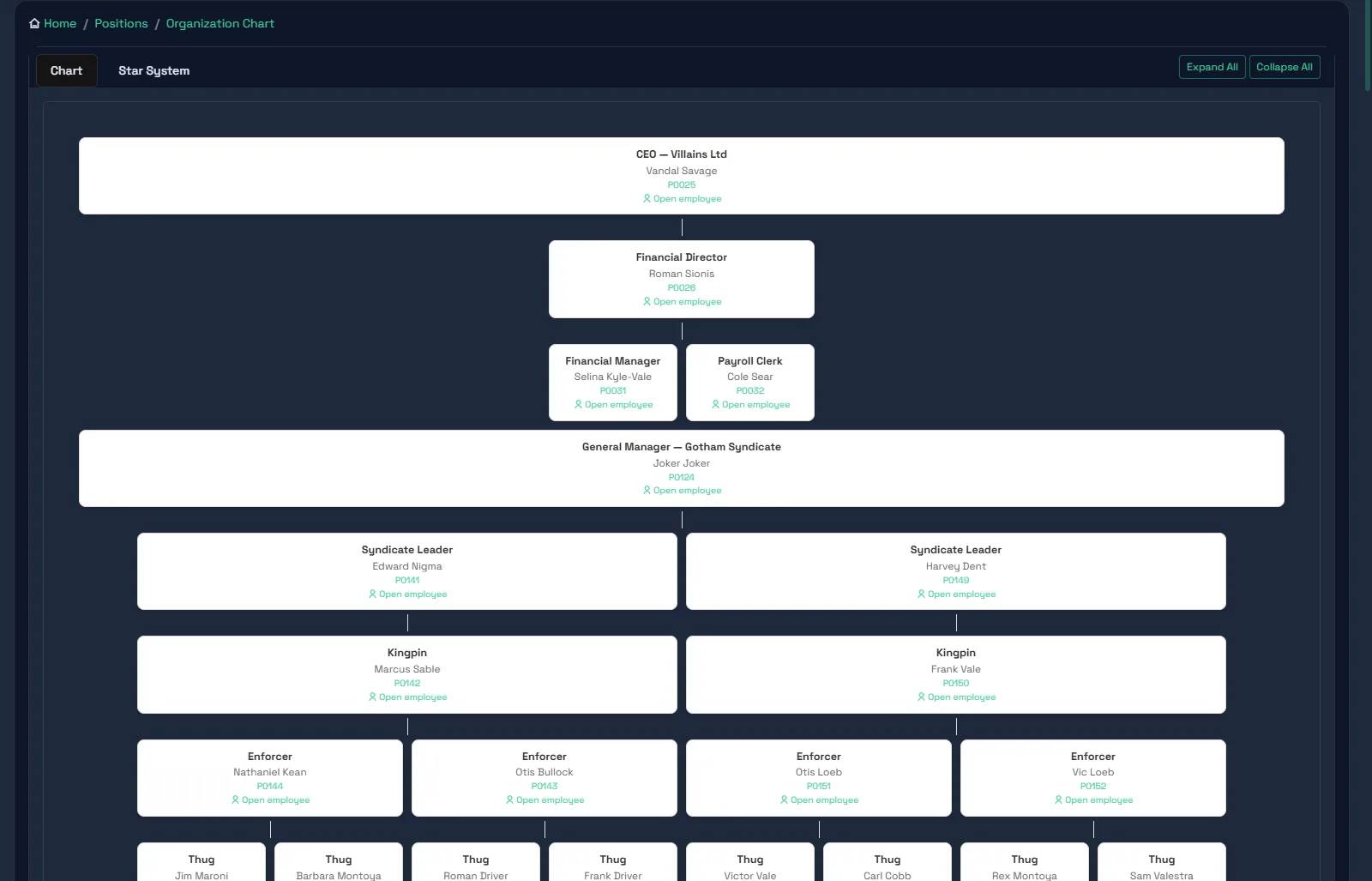
- Classic org chart and the Starfield view, both withholding names you may not see, never the shape
- Each position's working week and whether it works public holidays
- Stand-ins on every position: acting, temp relievers and out-of-office cover, with End acting
- Redundancy only on an empty chair; an occupied position is scheduled and applied when it empties
- Cost centre, paypoint and other position fields defined once, with immutable codes
- Scheduled-changes panel: what has been decided and has not happened yet
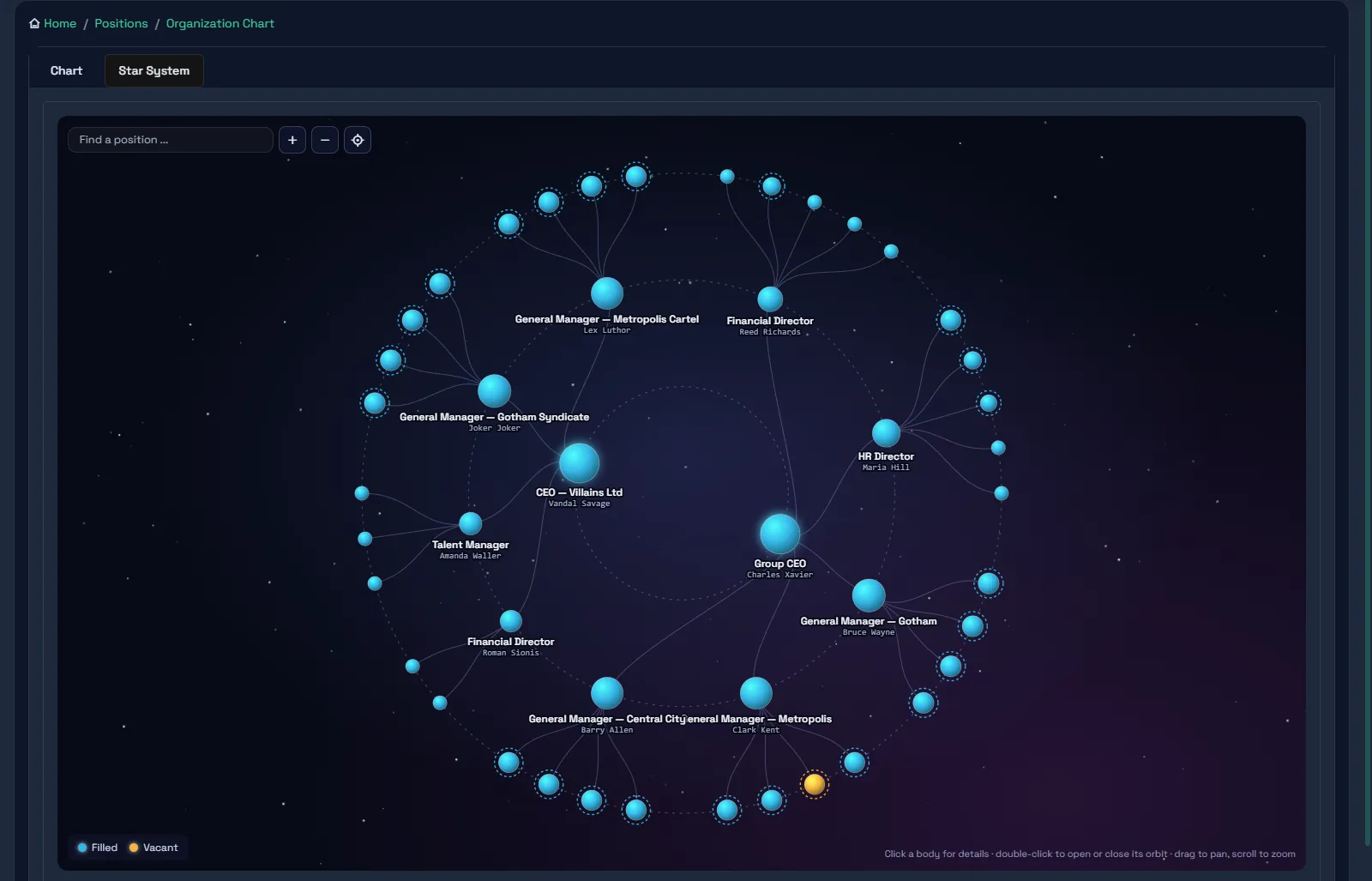
Starfield: the group as a star system
The same establishment, drawn as a night sky. Each company is a sun, its managers orbit it, and every position is a body you can find, open and zoom to.
- One system per company and per reporting loop, so a group of five companies is five suns on one sky
- Double-click a sun to open or close its orbit; drag to pan, scroll to zoom, search to fly to a position
- Filled positions in blue, vacancies in amber - a glance shows where the empty chairs are
- Click a body for the position: who holds it, who stands in, who reports into it
- Reads the same primary reporting line as the chart, routing and visibility, so it is never a separate picture
- Names are withheld where you may not see them; the shape of the structure is always complete
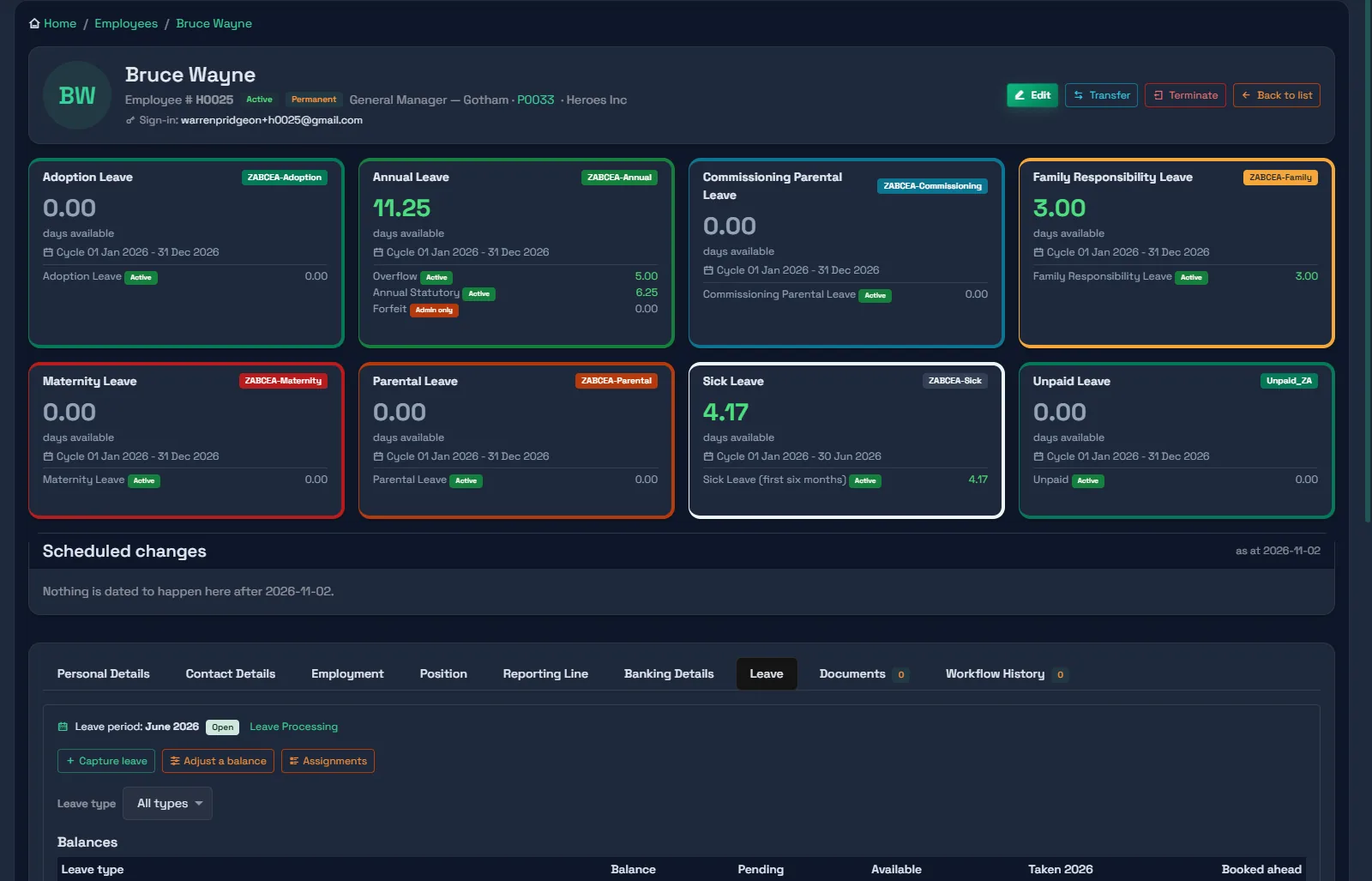
Leave engine
Model the BCEA and company policy as rules, and let the ledger do the arithmetic.
- Templates, leave types and buckets, each with its own cycle, accrual and end-of-cycle rule
- Stages that open when due (sick leave's first six months, then the 36-month cycle) less leave already taken
- Eligibility rules by job title, department, grade, branch, gender or months of service
- Days counted on the position's working week, excluding the employee's country's public holidays
- Half days, negative balance permission, minimum units, maximum consecutive days
- A full ledger: accrual, grant, transfer, adjustment, deduction, reversal, forfeiture, payout
- Monthly accrual and cycle-end runs; buckets that fall due open themselves
- Line managers approve on Team Leave; HR captures, adjusts and overrides
- Leave settled on termination: accrual to the last day, a recorded payout decision, every bucket retired
- Forfeiture forecast: annual leave about to be lost in the next 90 days, on the manager's dashboard
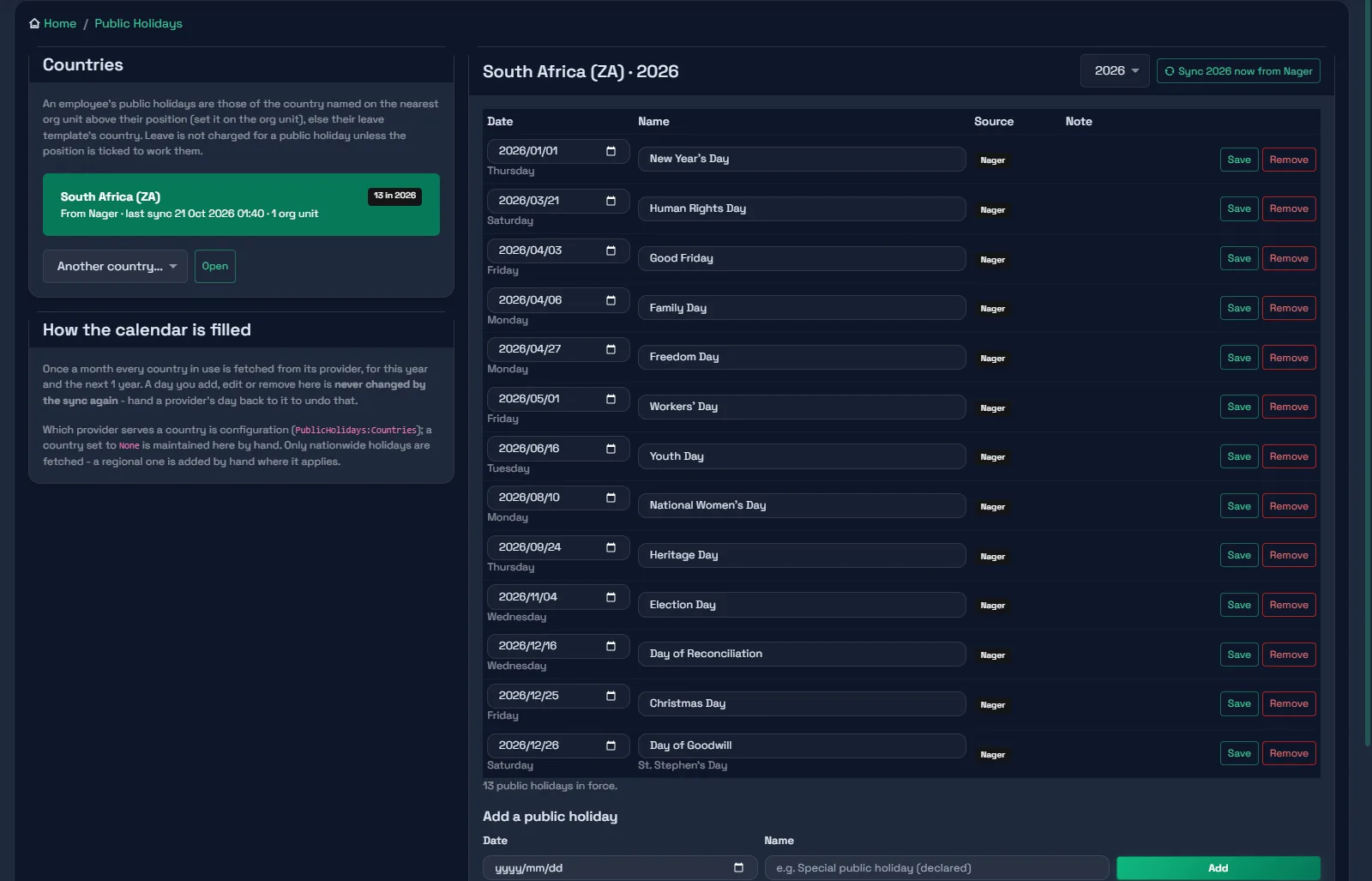
Public holidays
One calendar per country, filled for you and kept honest.
- Nationwide holidays synced monthly for every country in use, this year and next
- A person's change is final: a day added, edited or removed by hand is never overwritten by a sync
- Removing a holiday needs a reason and keeps the row - past leave was counted against it
- Which country applies comes from the org structure, so a group across borders just works
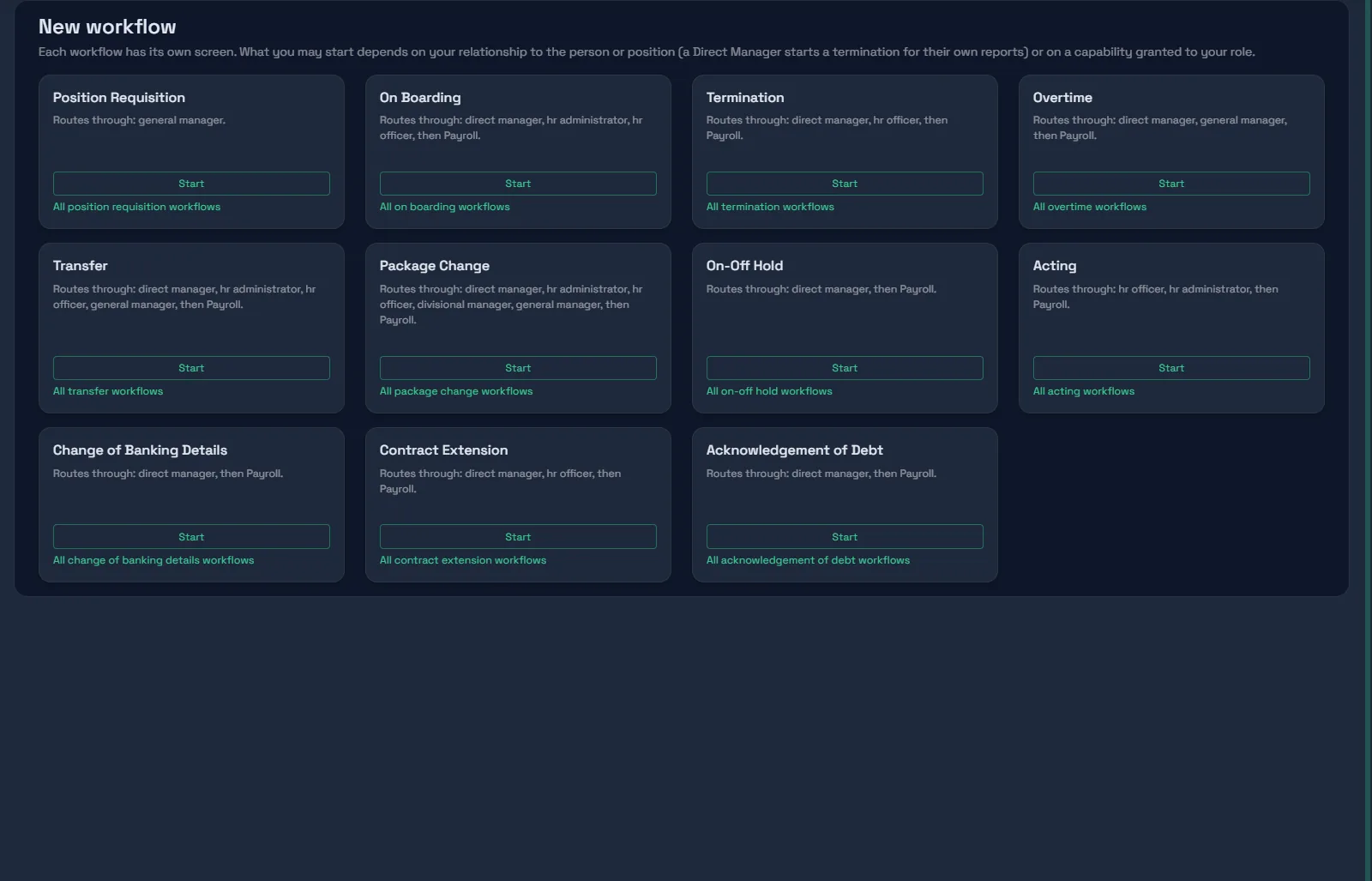
Eleven HR workflows
Each workflow has its own screen and steps. Approvers come from the reporting line, never a list of names.
- Position Requisition, Onboarding, Transfer & Promotion, Acting, Contract Extension, Termination
- Package Change, Overtime, Pay Hold, Banking Details Change, Acknowledgement of Debt
- One inbox for everything on your desk, covered for somebody else, or waiting in your queue
- Out-of-office cover adds a stand-in and never removes the approver
- Send back one step with a reason; withdraw any time before anything is applied
- Payroll and Finance queues: claim, release, reassign with a reason
- Nobody approves or starts a request about themselves
- Contract ends followed up automatically: the manager is prompted, payroll told, the employment flagged
- Documents uploaded on the way filed to the employee's record on completion
Applicant tracking
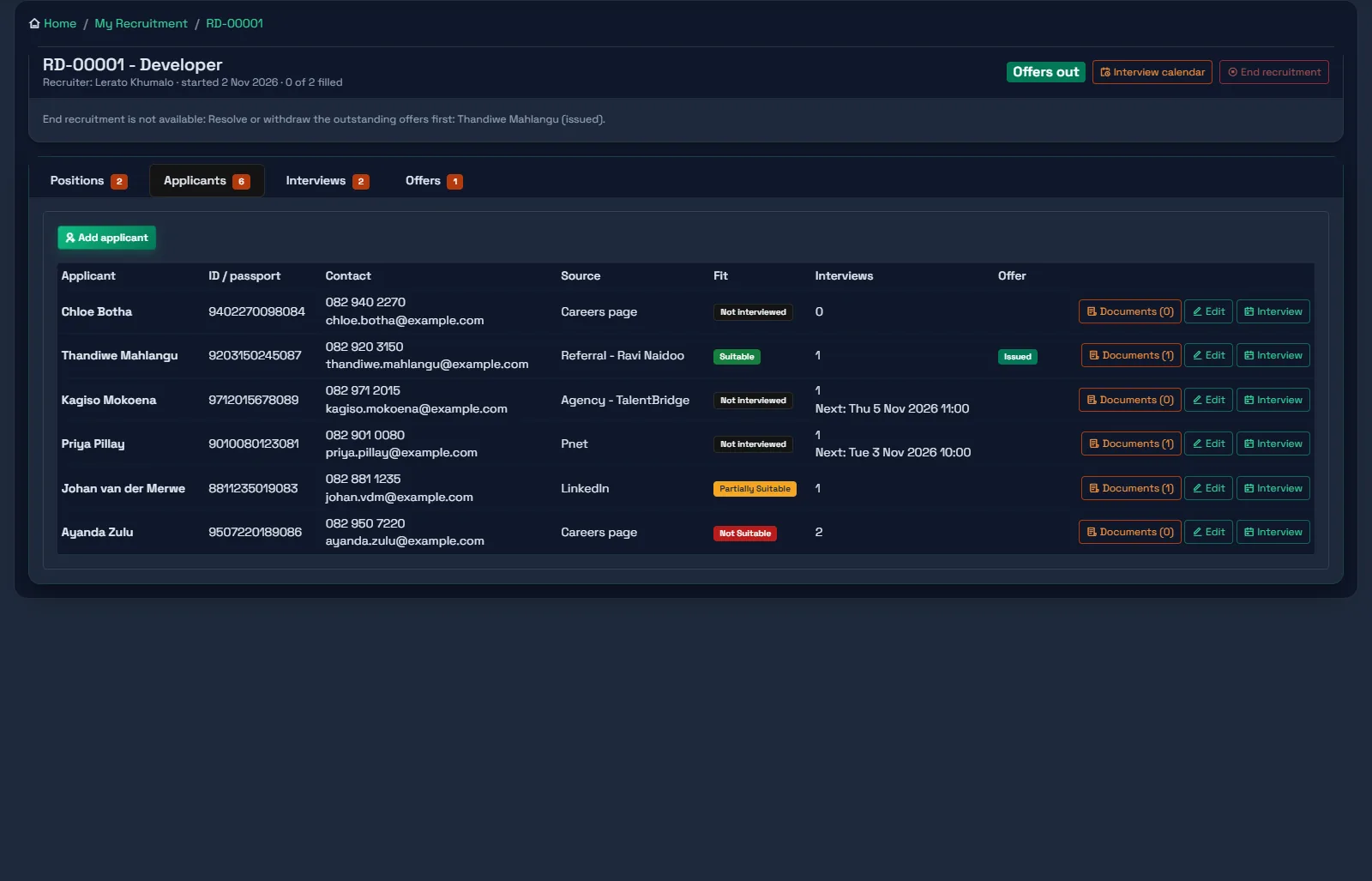
Recruitment starts from the establishment: a vacancy is a position with an empty chair, and the hire ends up in it.
- Vacancies come from the establishment - every position with nobody in it - with a recruitment status beside each
- Recruiter desks by part of the structure: a released vacancy goes to the one recruiter who covers it, or into a pool where the first claim wins
- Drives group vacancies for the same job title, each with a number, its positions, applicants, interviews and offers
- Applicants with ID or passport, consent recorded, documents attached; the same person applying to another drive is shown
- Interviews on a calendar, with clashes against other interviews and approved leave flagged for a decision
- Fit recorded per interview; offers listed by suitability, one outstanding offer per position
- Offer letters generated from your own correspondence template, versioned when terms are negotiated
- Accepting an offer fills the position and the vacancy; the drive completes when every position is filled
- Applicants are POPIA data: visible to the drive's recruiter and recruitment managers only
Manager self-service
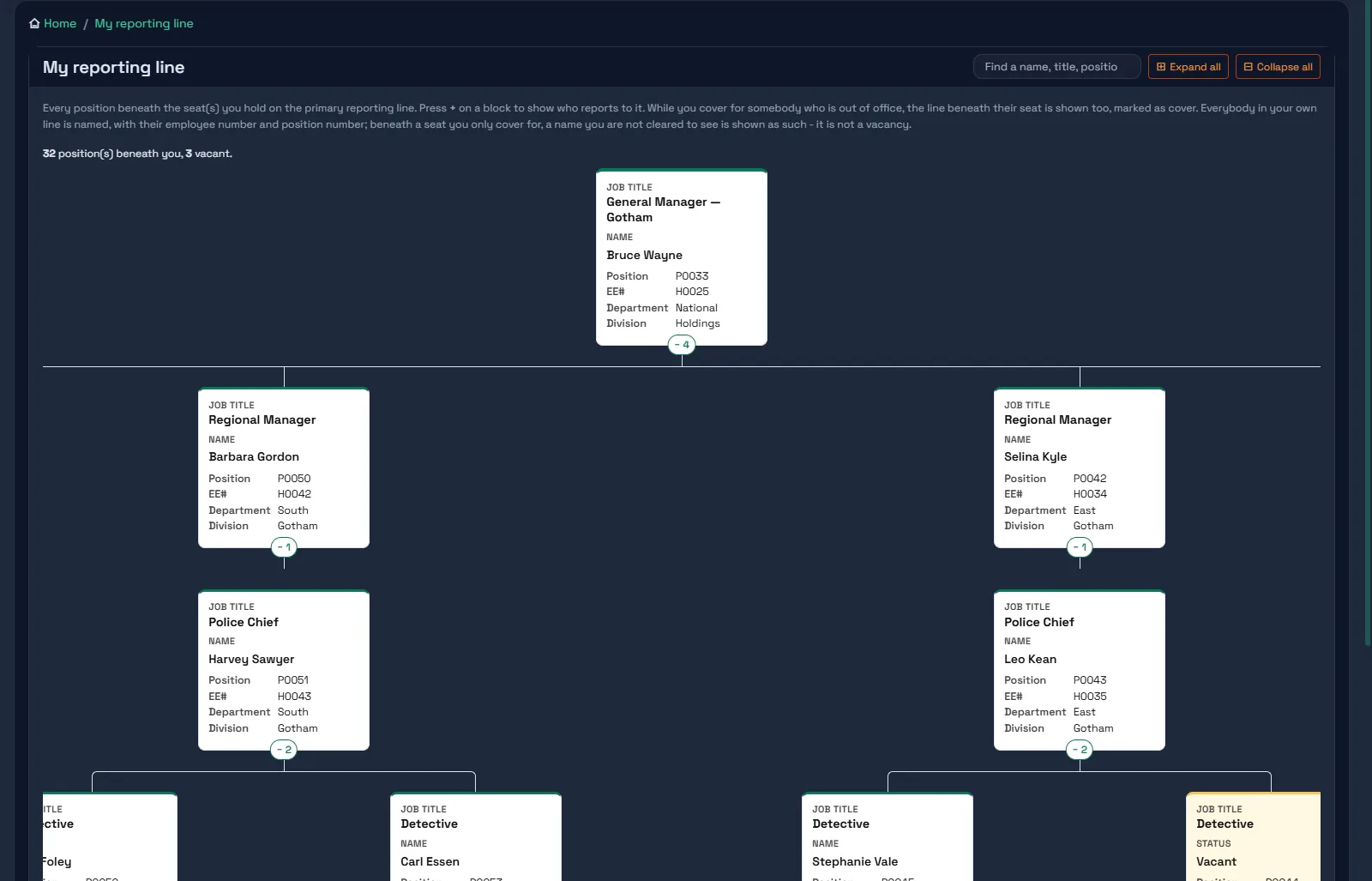
A manager sees their own line - all of it - and nothing else.
- My reporting line as expandable blocks, with every position and person beneath
- My employees, positions and vacancies in my line
- Team leave approvals and a team leave calendar
- Five reports - balances, forfeitures, vacancies, a leave report, leave applications - for direct reports, reports of reports, or all
- Out-of-office cover sees the absent manager's line too, marked as cover
Reporting
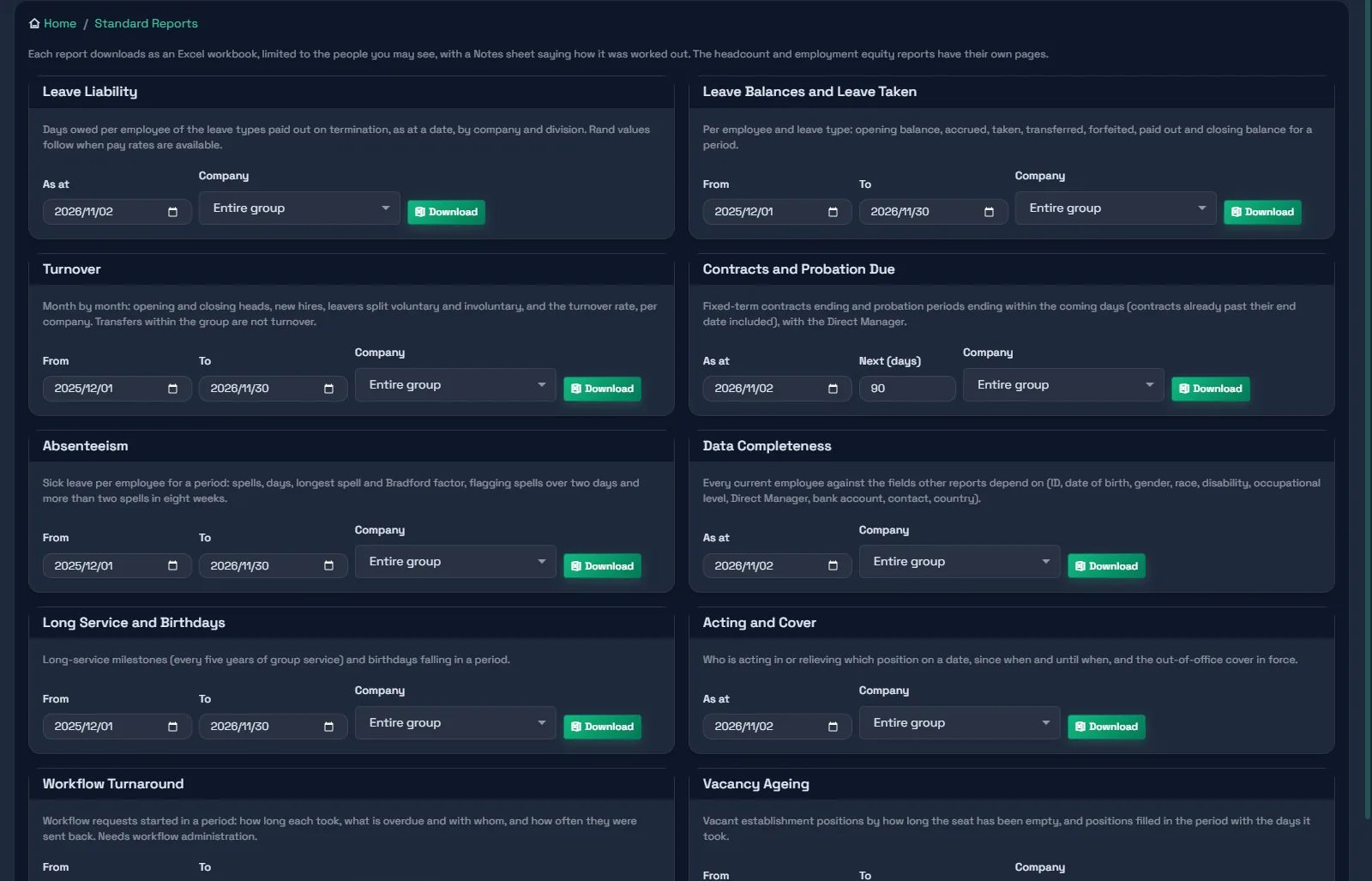
Ready-made where it should be, your own where it needs to be - and every export says how it was worked out.
- Ten standard reports: leave liability, leave balances and taken, turnover, contracts and probation due, absenteeism, data completeness, long service and birthdays, acting and cover, workflow turnaround, vacancy ageing
- Headcount report: heads, vacancies and movements by company and division
- Employment Equity: the EEA2 tables for one designated employer or the group, with data gaps listed
- Report builder: pick fields, filter, save, share, schedule; Excel and PDF
- Provenance on every workbook: source, as-at date, and which lens produced the figures
- Every report limited to the people the requester may see, with sensitive fields masked
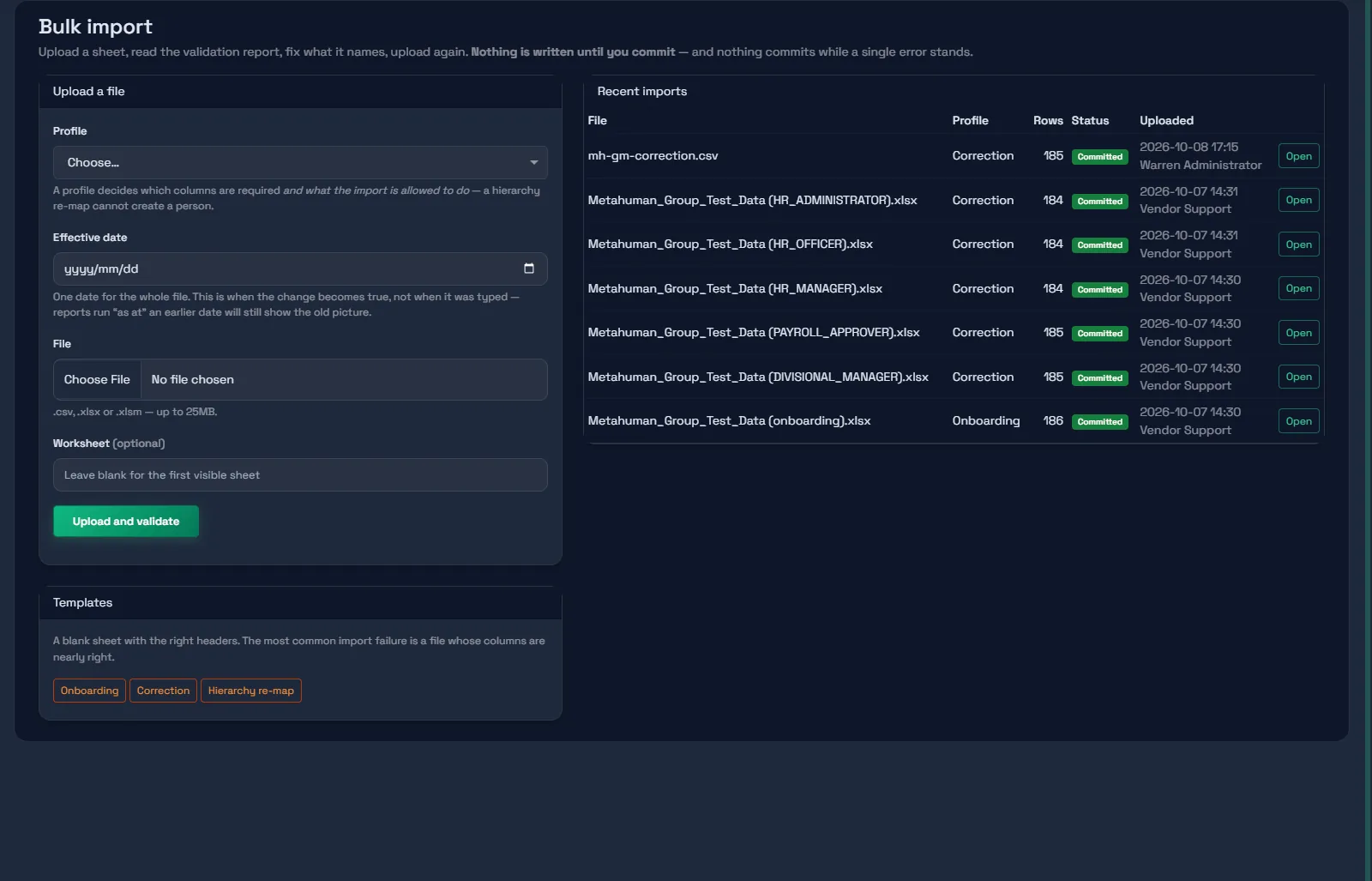
Bulk import
One engine, three jobs: load a workforce, correct it, or re-map the hierarchy. None of them can half-succeed.
- CSV and Excel; dates and numbers normalised, leading zeros kept
- Two-pass validation - row 50's manager may be created by row 900
- All-or-nothing commit, up to 50,000 rows in one transaction
- Committed batches are final: a workforce cannot be loaded twice by accident
- Validating and committing are separate permissions
- Corrections apply as a new version with a reason; a blank cell never clears a field
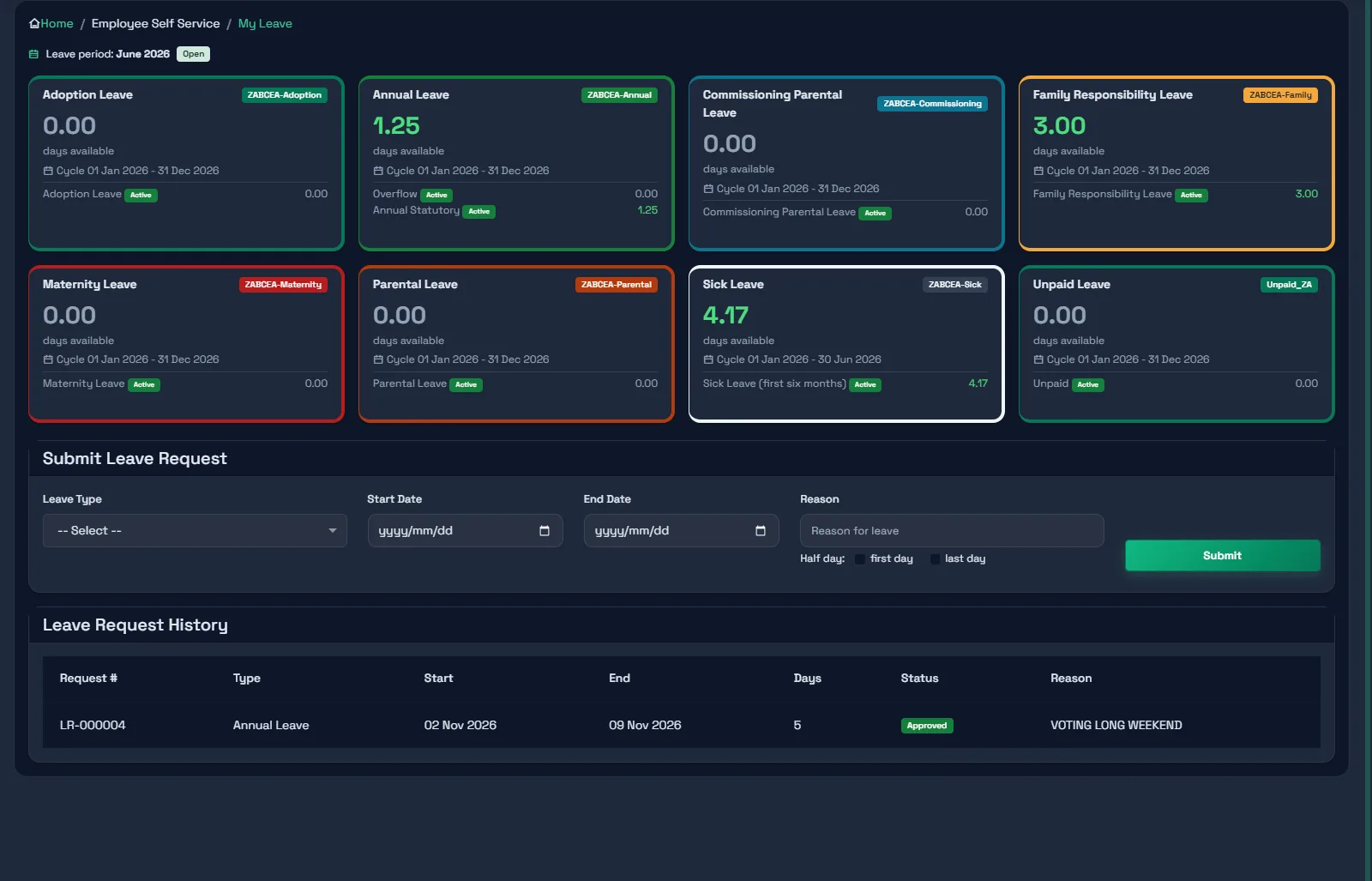
Employee self-service
Works in any phone or desktop browser. No app to install.
- Leave balances as cards, with each bucket beneath
- Leave requests that preview the day count the engine will charge
- Profile and documents
- Payslips from your payroll, where that connection is in place
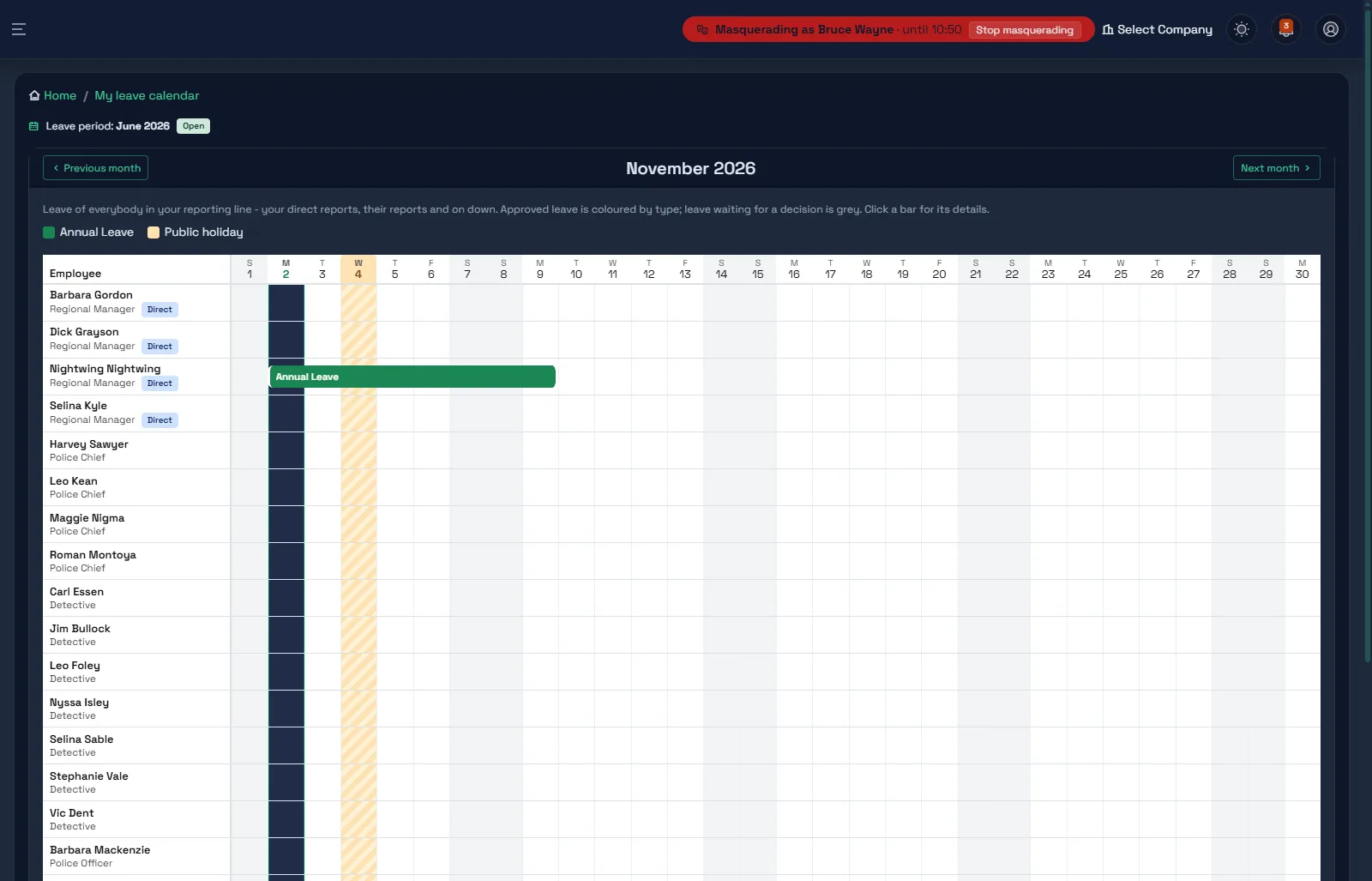
Masquerade: see what they see
Your own support desk can act as any user for a few minutes, with a reason, and every change is recorded against both people.
- Started from the employee list with a reason, which the Masquerade log shows your administrators
- You become that user: their permissions, their visibility, their screens - and the header says so the whole time
- Thirty minutes at most, re-checked on every request, one click to stop
- Never upwards: nobody can masquerade as somebody who holds more than they do, and never as the vendor's support account
- Access administration is refused while masquerading - no granting, no user changes, no second masquerade
- Every change is audited against both people; workflow histories read "performed by ..., masquerading"
- A log for your user administrators: who, as whom, why, when it ended and how many records changed
- An employee without a sign-in gets one on the spot, so support sees exactly what they would see
People & employments
A person is the human. An employment is the contract.
- Re-hires attach to the person already on file, matched on ID or passport
- Employee numbers per legal entity, legacy numbers kept
- Transfers between companies carry group service forward
- Profile with employment, position, reporting line, banking, leave, documents and workflow history
- Emergency contacts and dependants on the person; bank accounts on the employment
- Documents stored privately, served only after an ownership check
- Create a sign-in for an employee in one step, by invitation
Correspondence
Design once, merge from the record or a spreadsheet, send in bulk.
- Rich templates with headers, footers, images and merge fields
- Excel-driven merge checked against the template before anything is generated
- Personalised PDFs generated in the background, with progress
- Delivery by email, with per-recipient PDF passwords
- Per-row delivery log, and retry of only the rows that failed
Lists & set-up
Configured on screen, by your people, not by a consultant.
- Every managed list on one screen: codes never change, entries retire rather than delete
- South African banks with their universal branch codes, picked for you
- Hierarchy levels, relationship types and position fields as data
- Document types that say which workflows file into them
- Out-of-office arranged by anybody for themselves
Security, audit & hosting
Who may do what is a capability on a role. Who may see whom comes from the structure. Everything is audited in a database of its own.
- Capabilities granted to roles, never accounts; you cannot grant what you do not hold
- Visibility derived from the reporting and HR relationships in your structure
- "See everyone" and "see sensitive fields" are separate switches
- Separate audit database with automatic change capture
- Masquerade: your support desk acts as a user to see what they see - thirty minutes at most, never upwards, every session logged for you to read
- One database per customer; a session can never cross customers
- Cloud hosting in South Africa, or self-hosted on your SQL Server
- Self-hosted licence verified offline - reads, reports and exports are never withdrawn
- Lockout after failed sign-ins, session timeout, antiforgery on every write
- Telemetry is counts only, never contents
- Documents stored outside the web root, served only through an authorised action
- Modern stack: ASP.NET Core and SQL Server, built and supported in South Africa
What FlexHR does not do.
We would rather you know before the walkthrough than after the contract.
Payroll
No pay runs, no tax, no SARS filing. Workflows end in a Payroll step where your payroll team records what they did; FlexHR sits beside the payroll you trust.
Modules on the roadmap
Time and attendance, performance, employee relations, learning, succession, benefits and assets are not built yet. See the roadmap.
A native app
Self-service is a responsive website. It works on a phone; it is not in an app store.
See it with your structure in it. Book a walkthrough.
30 minutes on a demo company, driven by your questions.
Book a Walkthrough